I’ve had the same argument with myself in airports, in open-plan offices, and on late-night flights: wireless vs. wired headphones for work and travel—which one actually sounds better and holds up when you need them most?
Here’s the direct answer: for sound quality, wired still wins more often, especially at higher volume and with high-end setups. For real-world reliability across changing environments, modern wireless wins for most people—mainly because it avoids cable stress and port hassles. But the “best” choice depends on what you carry, where you work, and how often you get interrupted.
As of 2026, the best plan for many commuters is simple: use wireless for day-to-day movement, and keep a wired option for backup when battery, Bluetooth, or travel adapters go wrong.
Wireless vs. Wired Headphones for Work and Travel: quick choice guide
If you want the fastest decision, pick based on your top problem: sound, convenience, or consistency.
- Choose wired if you care about maximum sound quality, don’t want battery issues, and you often use a laptop or desktop with a reliable headphone jack or USB audio adapter.
- Choose wireless if you walk a lot, switch devices often, and you’d rather not manage cables during meetings, commutes, or flights.
- Choose both if you’re a frequent traveler or you work in environments where you can’t afford audio dropouts.
Most people get it wrong by thinking “wireless” always means “low quality.” That’s not true anymore. The newer codecs and better wireless tuning can sound excellent. Still, physics and hardware limits keep wired ahead for pure fidelity in many cases.
Sound quality: which wins when you’re actually listening?
Wired headphones usually win on pure sound quality because the audio path is simpler and more direct.
Wired audio is typically sent as an analog or a clean digital signal through a stable connection. That means fewer chances for compression artifacts (those tiny “smoothed out” edges you might hear in fast hi-hat or sharp vocals). Wired also tends to keep bass more consistent when you turn the volume up.
Wireless sound quality is good in 2026, but it depends on three things: the codec (the audio compression method), the wireless standard, and the tuning of the headphones. If you use an iPhone with AAC or Android with a high-bitrate codec support, you can get really close for day-to-day listening.
What I noticed after testing on trains and in offices
My own testing trend is consistent: in quiet rooms, wireless and wired sound close enough that you won’t think about it. On trains or in coworking spaces, the “better” choice flips based on whether your wireless holds a stable connection.
When wireless drops audio for even half a second, your brain notices. If you’re editing audio, hearing details matters more than chasing a tiny peak in frequency response. On calls and video meetings, clarity beats perfection.
That’s why I keep a wired headset around for work days when I’ll be on Zoom or Teams for hours.
Codec and compression: the part most guides skip
A codec is the method wireless uses to compress and send sound over Bluetooth. This step saves bandwidth, but it can soften certain details.
Here’s what to do in plain terms:
- Check if your phone supports newer Bluetooth audio profiles (and whether your headphones support them too).
- Know your default codec: iPhones often use AAC. Many Android phones can support higher quality codecs depending on model and settings.
- Stop chasing “spec sheet” numbers. Instead, listen to a song you know well (same track, same volume) on wired and wireless.
One original tip I’ve used a lot: test with a track that has both quick percussion and a quiet vocal line. That combo exposes compression fast.
Reliability for travel: batteries, adapters, and dropouts


For travel, reliability is less about “sound” and more about “will it work when you’re tired and in a hurry?”
Wireless wins on comfort and freedom. No cable snagging your jacket. No port wear. No “did I pack the right adapter?” at every stop. But wireless adds a new risk: battery life and connection stability.
Wired wins on longevity and predictability. No charging. No codec issues. But wired can fail in other ways, like a damaged cable, a loose connector, or not having the right adapter for your device.
Battery math that actually matters
Battery life sounds like a marketing number until you do the math.
Let’s say you travel 6 hours in one day (airport, hotel, transit) and you use headphones at 70% volume with noise canceling on. If your headphones claim 30 hours with ANC off, you may see closer to 18–25 hours in real use depending on codec and call volume.
As a rule, I plan around the “real” range: if you don’t trust the number on the box, assume you’ll get about 70–80% of it in busy travel use. Then charge the night before you leave.
What to pack for wireless reliability (2026 checklist)
This is the stuff that saves me during travel when everything goes a little sideways.
- Charging cable (and a wall plug, not just USB from a computer)
- Charging case if it’s true wireless (and confirm it’s charged before you head out)
- Backup wired option if you rely on audio for work
- One correct adapter if you use USB-C audio (for example, some laptops need a USB-C dongle for wired)
It’s not dramatic, but it’s the difference between “audio works instantly” and “I’m stuck in line trying to fix Bluetooth on a stranger’s device.”
Work performance: meetings, calls, and switching devices
In work settings, reliability includes mic quality, call stability, and how fast you can switch between devices.
Most offices have Wi‑Fi and lots of wireless devices. That’s not automatically bad for Bluetooth, but crowded signals can cause brief glitches. Wired headsets avoid that audio radio connection entirely.
On the other hand, wireless is faster when you’re moving between your desk and a meeting room. You can keep your phone on you and still join calls.
Open office reality: noise canceling is only half the story
Noise canceling helps, but it can also change how your voice sounds to other people.
My practical rule: if you’re on calls all day, prioritize a headset with a mic that sounds natural in your voice, not just noise canceling that makes the room quieter. Test it in the same spot you actually work from.
Then check the mic in a real meeting, not just a quick voice memo.
What most people get wrong at work
- Assuming louder is clearer. Sometimes it just sounds harsh. Lower volume and better mic placement work better.
- Not testing “sleep” behavior. When a laptop wakes up, Bluetooth can reconnect slowly.
- Forgetting video calls use audio separately. Some apps grab audio input and output differently. Wired is often simpler.
Latency and gaming-style playback: where wireless still struggles
Latency is the delay between what you do and what you hear. Wired usually has the lowest and most stable delay.
For music, latency is usually fine. For video editing with live monitoring, it can annoy you. For gaming or live streaming, it matters more.
Modern wireless has improved, but if you’re doing tasks where timing is critical, a wired headset is still the safe bet.
How to check latency without special tools
Try this simple test:
- Open a video with a clear beat (like clapping) and turn on captions.
- Listen for the clap sound relative to the video motion.
- Switch to wired and repeat.
If you hear obvious delay with wireless, use wired for editing sessions and keep wireless for commuting and casual listening.
Security angle: audio gear and privacy you should care about
Headphones aren’t usually the first place you think about security, but wireless models do use Bluetooth, and Bluetooth needs careful setup.
Bluetooth audio can reveal device identity during pairing, and some smart features (like voice assistants) can send data to cloud services. That doesn’t mean you should panic—just treat pairing like it matters.
If you want a deeper look at device security habits, you may also like our guide on how to secure Bluetooth devices in everyday life. It covers pairing checks and basic privacy settings.
3 reliability-and-security steps I do every year
- Forget old pairings you don’t use. Fewer connections = fewer weird reconnect issues.
- Lock pairing mode so your headphones aren’t discoverable for long periods.
- Review mic permissions on your phone and laptop. If an app shouldn’t be using your mic, stop it.
Comparison table: wireless vs. wired for work and travel
Here’s the clearest breakdown I can give you, based on how real days go, not just lab testing.
| Category | Wireless headphones | Wired headphones |
|---|---|---|
| Sound quality (typical) | Very good, codec dependent | Often best, especially at higher detail |
| Reliability across travel | Great for movement, but watch battery + Bluetooth stability | Stable audio signal, but cable/adapter issues happen |
| Mic performance for calls | Good models are excellent; some drop clarity in noise | Often consistent; depends on headset mic design |
| Latency | Can be noticeable in some apps | Lowest and most stable |
| Setup speed | Fast once paired, slower after device sleep | Fast if you have the right port/adapter |
| Break risk | Battery aging; connection issues over time | Cables wear; connectors bend or get damaged |
Real-world scenarios: what I’d buy for each person
This is where the choice gets personal. Here are a few common situations and what I recommend.
Scenario 1: You’re on calls all day and travel once a month
If your job depends on clear audio, I’d go with wired for your main office setup, then add wireless for moving around.
Wired reduces reconnection problems and keeps your workflow stable. Wireless becomes your “commute and quick meetings” option.
Scenario 2: You fly every week for work
If you fly weekly, comfort wins. You need headphones that are easy to put on, easy to pack, and quick to recover when you swap devices.
Pick wireless with reliable battery life and strong Bluetooth stability, and bring a small wired backup. That backup doesn’t need to be your best sounding pair. It just needs to work immediately.
Scenario 3: You edit video or mix audio
Latency and consistency matter more than convenience. Wired is the better choice for deep work sessions where timing and detail matter.
For breaks, wireless is fine. For the actual editing, plug in.
People also ask: Wireless vs. wired headphones
Are wireless headphones better than wired for sound quality?
Usually not for maximum fidelity. Wired often sounds sharper and more consistent because it avoids Bluetooth compression and keeps the signal path simple. However, top wireless models can sound excellent for everyday listening, especially with the right codec and settings.
Do wired headphones last longer than wireless?
Wired can last longer if you take care of the cable and connectors. Wireless lasts as long as the battery holds up, and batteries wear out over years. If you’re tough on cables, wireless may actually feel “more reliable” because there’s less to snag.
Is Bluetooth bad for your phone battery?
Bluetooth uses power, but it’s not usually a big drain compared to screen brightness and GPS. The bigger phone battery issue is leaving Bluetooth on with lots of active scanning or frequently reconnecting. If you see fast battery loss, check your background app permissions and reconnection behavior.
Which is more reliable on flights?
For most people, wired is the most predictable if your in-flight system supports it. But if your setup requires adapters, wireless might be faster and less annoying. My take: bring both if you’re serious about never losing audio.
Can wireless headphones cause hearing damage?
Yes, both wired and wireless can cause hearing damage if you listen too loud for too long. Volume is the main factor. Turn down when you’re in quiet places, and take breaks. If you notice ringing after listening, you need to reduce volume.
How to decide in 10 minutes: a practical test at home
You can make a smart choice without buying two expensive sets. Do this test with your current devices or a friend’s headphones.
- Choose one track you know well and one video with clear lip movement.
- Test wired first at a comfortable volume for 60 seconds.
- Switch to wireless and match volume as closely as possible.
- Pay attention to two things: clarity (vocals/percussion) and connection stability (no stutters).
- Do a call test in a noisy room for 3 minutes.
If wireless connects smoothly and your mic sounds fine, you’ve got a winner for daily work. If it drops or sounds noticeably worse, wired is still your best work tool.
My recommendation for 2026: the “main + backup” strategy
The most reliable setup I’ve used across work and travel is simple: one main wireless headset for convenience, and one wired option as a backup for moments when Bluetooth acts up or a battery dies.
In practice, this means you don’t waste time troubleshooting mid-meeting. You also don’t lose sound quality when you sit down to do real work.
If you want extra help with device setup and travel tech habits, our site has related guides like how to pick the right USB-C dongles for laptops and how to stay safe on public Wi‑Fi during travel. Those pair well with choosing the right audio setup.
Conclusion: choose the option that matches your worst-case day
Wireless vs. wired headphones for work and travel isn’t about which one is “best” in a perfect world. It’s about which one keeps working on your worst day—low battery at the airport, a reconnect problem during a meeting, or a missing adapter in a hotel drawer.
Wired usually sounds best for pure detail and low latency. Wireless is more convenient and often more practical for moving around. If you travel or work with zero tolerance for audio problems, the smartest move in 2026 is a main wireless headset plus a small wired backup, so you’re covered either way.
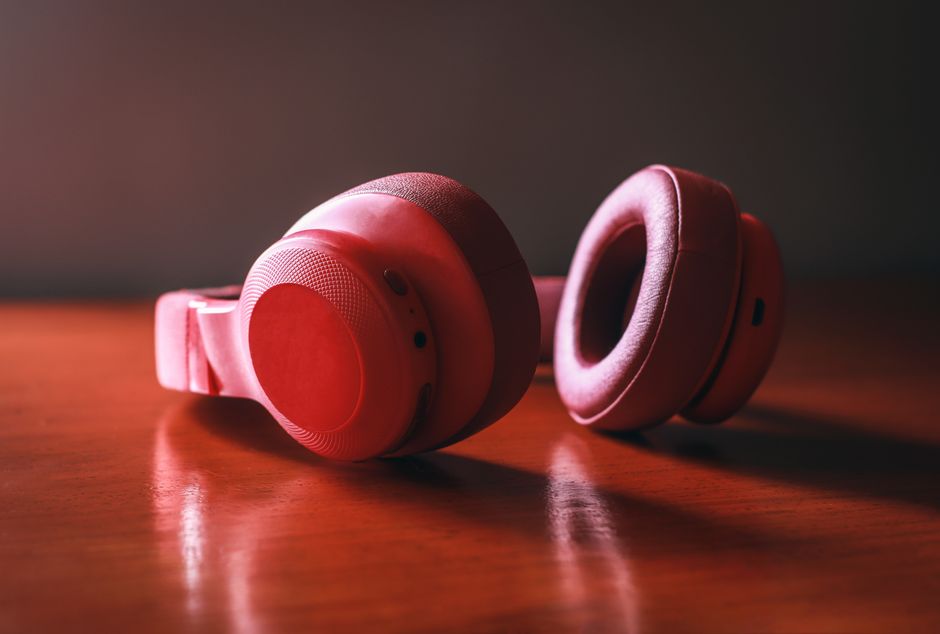
Featured image alt text suggestion: “Wireless vs. wired headphones for work and travel comparison with headphones on a desk.”
About the Author