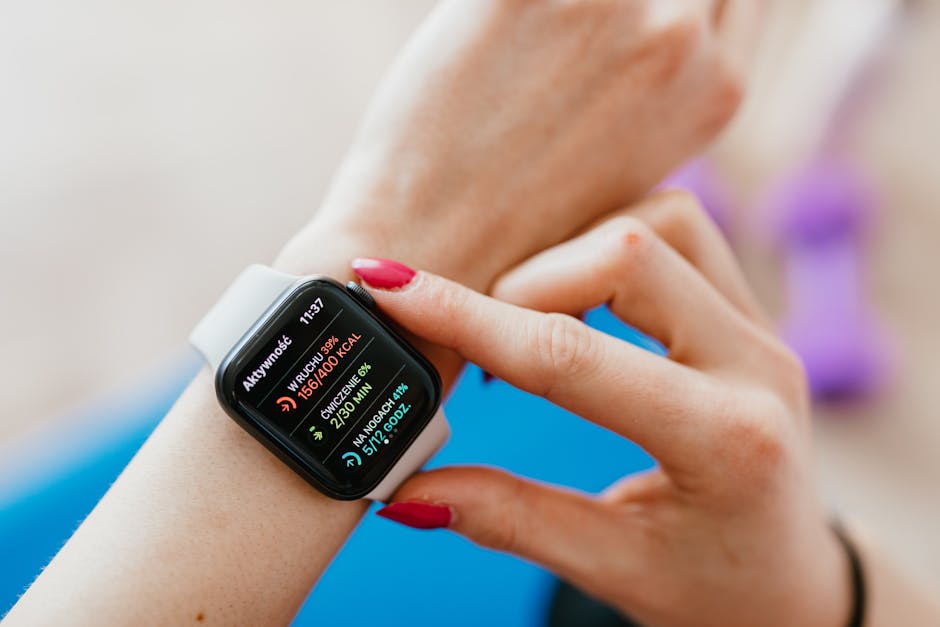
I still remember the first time my smartwatch “helpfully” told me my heart rate was higher than usual while I was sitting at my desk. The number wasn’t even close to how I felt. That’s when I realized something important: smartwatch health tracking accuracy is not one single thing. It depends on which sensor you’re using, how the watch fits, your skin and movement, and what the watch’s software is doing behind the scenes.
So here’s the direct answer up front: you can trust smartwatch sensors for broad trends (like “my resting heart rate changed”), but you should not trust them for medical-level numbers (like exact blood oxygen values during an emergency). The good news is you can validate what your specific watch is doing with practical tests you can run at home.
This guide is written for people who want real-world truth: what sensors can and can’t be trusted, why accuracy drops, and how to check your data using simple steps. I’ll also point out the most common mistakes I’ve seen from friends (and me) while wearing smartwatches.
Smartwatch health tracking accuracy depends on sensors, not marketing
Health tracking is only as accurate as the sensors under the hood and the math (algorithms) turning signals into numbers. A smartwatch is measuring signals, then guessing what’s happening in your body based on patterns it learned from lots of people.
For example, most watches use an optical sensor (light + camera-like photodiodes) for heart rate and blood oxygen estimates. That means the data is strongly affected by skin contact and how much you move. Even the best sensor can get messy if the watch is loose or your skin is dry and not reflective.
Key idea: accuracy is not a single score. Think of it as “how well each sensor + each app + your setup work together.” That’s why two people can get different results from the same model.
Heart rate sensors: what you can trust (and where they fail)
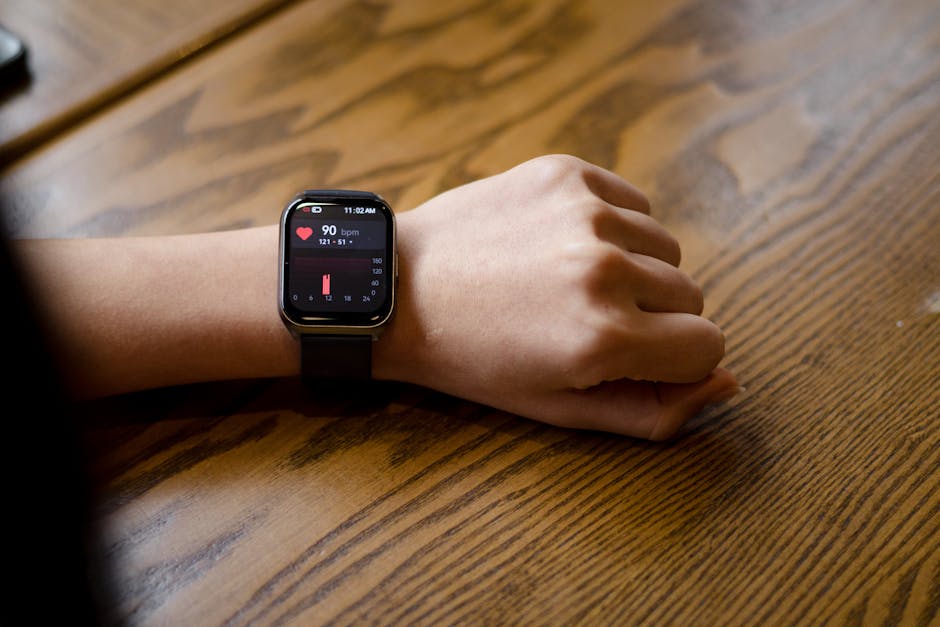
Heart rate tracking is usually the most useful smartwatch metric, but it’s not equally accurate in every situation. In my experience, it’s best when you’re still or moving steadily, and it gets worse during fast changes.
Optical heart rate (PPG): generally good for trends
Most smartwatches use PPG (photoplethysmography), which means they shine light into the skin and measure blood volume changes. When you’re resting or walking, the signal is cleaner and the watch can follow the beat more accurately.
What you can trust: resting heart rate patterns, workout trend lines, and “did my heart rate jump when I started stairs?” kind of info.
What you can’t fully trust: exact beats-per-minute numbers during stop-and-go activities, shaky movement, or when your arm position changes often.
Common heart-rate accuracy problems
- Loose fit: if you can slide the watch around a bit, the readings will bounce.
- Too much motion: gripping, weight lifting, or bouncing workouts can confuse the sensor.
- Skin factors: tattoos, sweat, cold skin, and different skin tones can change the signal quality.
- Contact pressure: a watch worn too tight can also change the signal and make it less stable.
One mistake I made: I started a run with my watch slightly lower on my wrist. After 10 minutes, I noticed the heart rate looked “flat” and then jumped. Moving it higher fixed the tracking right away. That wasn’t magic—just better contact with the right tissue area.
Blood oxygen (SpO2): useful for awareness, not medical certainty
SpO2 (blood oxygen saturation) is one of the most searched smartwatch health tracking metrics, and it’s also one of the easiest to misunderstand. The short version: you can use it to notice patterns, but you can’t treat it like a clinical blood test.
How smartwatch SpO2 estimates work
SpO2 readings usually come from the same optical sensor, but it uses light at different wavelengths to estimate how much oxygen is bound in your blood. This is more sensitive to motion than many people expect.
What you can trust: “my overnight SpO2 drops sometimes” as a flag to talk to a clinician if it’s frequent. Also useful after you feel sick or when you notice altitude effects during travel.
What you can’t trust: single-point SpO2 numbers. A bad signal can make the value look too low or too high for a short time.
What most people get wrong about SpO2
- They treat one dip as a diagnosis. Watches work in averages over time; one weird spike is often a sensor issue.
- They check in the middle of movement. If you’re talking, walking fast, or your wrist is turning, the reading can be unstable.
- They assume “low number = emergency.” If you’re in distress, follow medical advice first. Your watch is not a replacement.
In 2026, many watches still show “estimated” SpO2. If your device doesn’t explicitly say it’s estimated, it’s still best to treat it as an estimate because the sensor measures light changes—not oxygen levels directly like a lab device.
Sleep tracking: good for habits, weak for “medical sleep stages”
Sleep tracking can be surprisingly useful, but it’s mostly a tool for habit change, not for proving you have a specific sleep disorder. The watch guesses sleep stages using movement, heart rate changes, and sometimes skin temperature.
Why sleep stage accuracy is hard
Real sleep stages are usually measured with polysomnography (a medical sleep study) and other sensors. Smartwatches do not measure brain waves. So when a watch shows “deep sleep” or “REM,” it’s using a model—not the direct signals doctors look for.
What you can trust: total sleep time, bedtime consistency, and how late caffeine or late workouts affect your overall sleep duration.
What you can’t trust: precise percentages of REM or deep sleep. Those numbers are best treated like “directional,” not “diagnostic.”
A quick validation test for sleep tracking
If you want to check if your watch is at least consistent, do this for 3 nights:
- Keep the same bedtime window as much as you can.
- Before bed, do the same calm activity for 15 minutes (reading on paper or a dim screen).
- Check if your watch’s “wake after sleep onset” (the time you’re awake) drops compared to a night where you didn’t do the same routine.
When the watch is working well, those changes usually show up in the data even if the exact stage labels aren’t perfect.
Activity and workout tracking: the accuracy gap you feel in your joints
Steps and workout tracking are common smartwatch features, and they can be pretty good—until you do something that doesn’t match the watch’s model. This is where you notice the “accuracy gap” in real life.
Accelerometer-based movement is great for walking
Most watches use accelerometers (and sometimes gyros) to count motion. For straight-up walking and jogging, the watch can map movement patterns to steps and pace.
What you can trust: step count trends, general activity level, and “I was more active today than yesterday.”
What you can’t trust: step count during bike rides, strength training with lots of pauses, or sports where your wrist position changes a lot.
GPS workouts: better pace, but still not perfect
When a watch uses built-in GPS (or phone GPS), pace can be more accurate than the wrist-only method. But it still depends on how often GPS locks and how clear the signal is between buildings or in forests.
In practice, I trust GPS pace more for outdoor runs than for indoor treadmill work. If you care about precise pace, validate with a treadmill’s readout or a known route on an app like Strava (for cross-checking consistency, not medical-level truth).
Stress and “recovery” scores: use them as hints, not facts
Stress and recovery scores are popular, but they’re the least direct measurements your watch makes. Most watches estimate stress from changes in heart rate variability (HRV), breathing patterns, movement, and sometimes skin temperature.
HRV is not “stress you feel”
HRV (heart rate variability) refers to the tiny timing differences between heartbeats. Higher HRV often lines up with better recovery in many people, but it also depends on fitness level, age, sleep, and even recent alcohol or caffeine.
What you can trust: whether your HRV and recovery trend improves after a good night of sleep.
What you can’t trust: a single “stress score” as a real-time truth about your mental state. I treat those scores like a weather forecast—helpful for planning, not for panic.
My favorite validation method for recovery scores
Instead of trying to validate the score number, validate the behavior outcome. For two weeks, do one change that normally helps recovery:
- Go to bed 30 minutes earlier on weekdays
- Keep caffeine cut-off at least 8 hours before sleep
- Do a 20-minute walk after dinner
If your recovery score improves most days, your watch is probably picking up real changes in your body.
People also ask: how accurate are smartwatch health sensors compared to medical devices?
Short answer: smartwatch health sensors are often good for trend tracking, and they vary a lot by metric. Medical devices are built for diagnosis and strict accuracy under controlled conditions.
In plain terms, a smartwatch is like a fast, always-on reporter. A medical device is like a lab instrument. The smartwatch wins at convenience, and the medical tool wins at certainty.
What “accuracy” means in the real world
Two devices can both be “accurate,” but in different ways. A watch might be accurate within a certain error range for typical heart rate tracking, yet still be too inconsistent to trust for a specific number when you’re moving.
If you’re comparing your watch to a chest strap during exercise, you’ll usually see improved heart rate accuracy on the strap. That’s because a chest sensor is closer to the heart and has fewer motion issues.
How to validate smartwatch health tracking results at home (step-by-step)
If you want smartwatch health tracking accuracy you can rely on, validate it yourself for your body. You don’t need lab gear. You just need a clean test setup and a way to compare.
1) Validate heart rate first (fast, cheap, and informative)
Use one of these comparison tools:
- A chest strap heart rate monitor (often more stable than wrist)
- Another trusted device you already have
- For resting checks: sit quietly for 5 minutes, then compare
Do this test twice: once on a calm day and once after a normal workout. Wear the watch in the same spot each time.
What to look for: don’t obsess over the first reading. Watch how close it stays over 60–120 seconds.
2) Validate SpO2 only when you’re still and calm
For blood oxygen estimates, do a simple “quiet test.” Sit upright, keep your arm relaxed, and don’t move your wrist for 2 minutes.
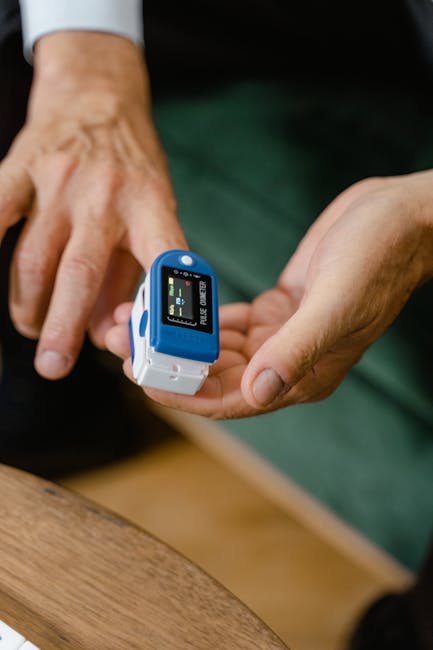
Compare your watch’s SpO2 to a finger pulse oximeter (a real, consumer medical device). Do 3 readings and average them.
If your watch tracks consistently in the same direction as the finger device, you can trust the trend more. If it wildly swings without you moving, your readings are too sensor-sensitive.
3) Validate sleep timing using a boring but effective method
If your watch says you slept 7 hours but you clearly were in bed 8.5 hours, the problem is usually sleep detection. Try this for 3 nights:
- Start “bedtime” at the same time
- Turn down lights and screen brightness
- Keep the room temperature similar
Then compare your watch’s sleep window to your actual lights-off and lights-on times. Many people discover their watch starts sleep tracking too late if they scroll a lot right before bed.
4) Validate steps and workout distance on a known reference
For steps: do a measured 1 km walk (or use a treadmill setting you trust). Compare watch steps to expected counts.
For distance: use a known outdoor route and compare watch GPS distance to a map or a second phone app. If you notice a consistent difference, that’s your “personal calibration.”
Wear settings that make a bigger difference than “accuracy” specs
People often look only at the watch model name. I get it, because it’s easy. But your fit and settings usually matter more for everyday accuracy.
Fit: placement beats tightening
Use the same wrist position every time. Most people get better results when the watch sits higher on the wrist bone area and stays snug without crushing the skin.
If your watch has a “fit” or “skin contact” reminder, pay attention to it. In 2026, many devices have improved sensors, but they still can’t fix bad contact.
Check lighting and skin coverage
Bright sunlight can affect optical sensors, and very dry skin can reduce signal clarity. If you’re outside in summer, try a slightly looser movement test and make sure the watch doesn’t ride up on your wrist.
Update firmware and keep apps current
Watch companies regularly update the algorithms that process sensor data. If you never update, you might be stuck on older math that doesn’t match the sensor hardware as well.
I’ve seen people complain about “inaccurate heart rate” and the real fix was a software update released that month.
Sensor-by-sensor cheat sheet: what to trust
Here’s a quick guide you can use when you see a number on your screen and wonder if it’s real.
| Sensor/Metric | Best Use | What to Avoid | How to Validate |
|---|---|---|---|
| Optical Heart Rate | Trends, resting changes, steady workouts | Single-point numbers during lots of motion | Chest strap comparison for 1–2 sessions |
| SpO2 (Estimated) | Noticing patterns over time | Emergency decisions from one low reading | Finger pulse oximeter while still |
| Sleep Timing | Bedtime consistency and routines | Exact REM/deep sleep percentages | Compare to lights-off/lights-on for 3 nights |
| Steps/Activity | Daily activity trend | Sports and training where wrists move unpredictably | Measured walk or treadmill test |
| HRV/Recovery/Stress | How you bounce back after habits | Real-time “stress truth” or diagnosis | Track 2 weeks of behavior outcomes |
When you should stop relying on smartwatch data
There are clear “don’t play games” situations. If you’re feeling severe symptoms, you need medical advice, period.
- Chest pain, fainting, severe shortness of breath: follow emergency steps and ignore watch numbers.
- Repeated very low SpO2 readings: validate with a finger oximeter if possible, then contact a clinician.
- Irregular heartbeat feelings: use the watch as a trigger to seek care, not as proof.
I’m saying this clearly because I’ve watched people get stuck in a loop—checking a watch all night and getting more anxious. A watch should reduce guesswork, not replace care.
Cybersecurity note: health data is personal data
Even if the sensors are accurate, your privacy might not be. Health data can be very sensitive, so it’s worth treating your watch like any other connected health device.
I recommend you read our guide on cybersecurity best practices for connected devices to reduce risks from weak passwords and unsafe apps.
Also check what apps on your phone have permission to access health data. If you don’t recognize an app, revoke access. This matters more than people think, especially in 2026 when more services ask for health permissions during setup.
Internal checklist: a validation routine you can repeat monthly
If you want a habit, use this simple monthly routine. It takes about 20 minutes total.
- Heart rate: sit quietly for 5 minutes, compare to a chest strap for 60–120 seconds.
- SpO2 (optional): do a still 2-minute reading and compare to a finger oximeter if you have one.
- Steps: do one measured 1 km walk or use a treadmill at a fixed speed.
- Sleep: check whether bedtime and wake time match your real lights-off/lights-on for 1 night.
This routine helps you separate “my watch is wrong” from “my body changed.” It also stops you from reacting to every weird number.
Comparison: smartwatch vs chest strap vs finger oximeter
Here’s how the tools usually stack up for everyday accuracy. It’s not about which one is “best.” It’s about which one answers the question you’re asking.
| Tool | What It Measures | Where It Works Best | Typical Weakness |
|---|---|---|---|
| Smartwatch | Optical signals + estimates | Trends, habit tracking, most daily life | Motion and fit issues change accuracy |
| Chest strap | Electrical heart signal (closer to the heart) | Exercise heart rate, consistent tracking | Comfort and correct placement |
| Finger pulse oximeter | Optical oxygen estimation at fingertip | SpO2 cross-check while still | Cold fingers and movement |
My take: the most accurate smartwatch number is the one you can repeat
After testing different wear setups and comparing devices for friends, I’ve come to one clear opinion: smartwatch health tracking accuracy isn’t about chasing perfect lab numbers. It’s about repeatability.
If your watch consistently shows the same direction—lower resting heart rate after better sleep, fewer “stress spikes” after exercise and better routines—then it’s doing something real for you.
If your watch numbers swing wildly with no change in your routine, fix fit, update software, or validate with a second tool. And if something feels seriously wrong in your body, trust your symptoms and get medical help.
Related guides you might like
- How to choose a smartwatch for fitness (what specs matter for your goals)
- Best heart rate monitor settings and fit tips (how to get steadier readings)
- Health data privacy: what to disable on your phone (simple permissions cleanup)
Conclusion: Validate your smartwatch, then use it like a trend tool
Smartwatch health tracking accuracy is real enough for trends, but you can’t treat the numbers like medical tests. Heart rate is usually the most trustworthy for patterns, SpO2 is best for awareness over time, sleep stage labels are directional, and stress/recovery scores are hints based on HRV and behavior.
Make it practical: validate once with a chest strap and (optionally) a finger oximeter, check sleep timing against your lights-off/lights-on, and test steps using a measured walk. When your watch becomes repeatable for you, you’ll stop overreacting and start using it the way it’s meant to be used—smartly.
Action takeaway: Run one validation test this week, write down what matches and what doesn’t, then use those findings to interpret future readings with confidence.
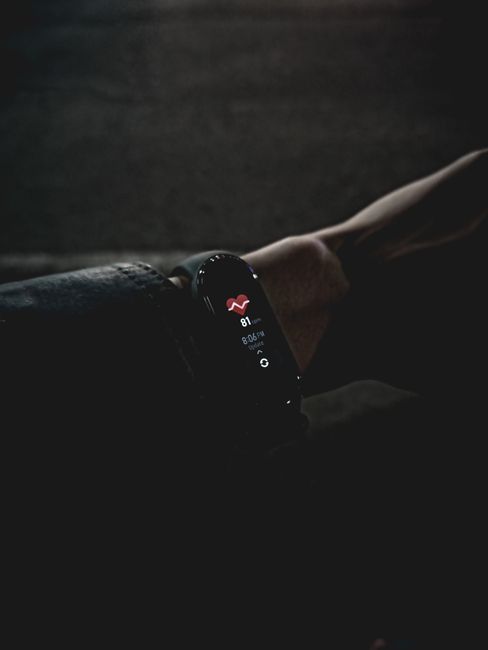
Featured image alt text suggestion: “Smartwatch health tracking accuracy sensors on wrist showing heart rate and SpO2 data in 2026”
About the Author