AI hardware in 2026: GPU vs. NPU is the choice you feel every day
In 2026, the biggest AI hardware story is simple: your device usually runs AI using an NPU, while the cloud and some desktops lean on GPUs. That difference changes speed, privacy, cost, and even how accurate the results feel. I’ve noticed a pattern across laptops, phones, and mini PCs: the “AI” features you use offline are mostly NPU-powered, while heavy tasks still push people toward GPUs and the cloud.
Quick answer: If you want offline prompts, real-time camera effects, and battery-friendly AI, you’re in the NPU world. If you want fast training, big models, or top-tier image/video work, you’re usually in the GPU world.
GPU vs. NPU (2026): what they’re built for, in plain language
A GPU is a Graphics Processing Unit. It’s designed to run lots of calculations in parallel, which is why it’s great for training and running big AI models. An NPU is a Neural Processing Unit. It’s built for the smaller, faster AI jobs that fit inside phones and laptops without draining power.
Here’s the part most people miss: both can do AI math, but they’re optimized for different sizes and workflows. GPUs love bigger batch jobs and high memory bandwidth. NPUs love low-latency tasks like object detection, voice wake words, and quick text features.
GPU strengths you’ll notice
When an app says it uses a “GPU,” you usually get faster results for heavy work. That shows up most in these areas:
- Training: big models and longer runs.
- Batch inference: processing lots of inputs at once.
- Video and image AI: upscaling, denoising, and style effects.
- Research and custom workflows: people running Stable Diffusion, ComfyUI setups, or local LLM experiments.
In my experience, GPU systems also handle “long prompts” and bigger context windows more smoothly—especially when you’re using local tooling instead of cloud chat.
NPU strengths you’ll notice
NPUs shine when you need AI fast and efficient, right where you are. Look for NPU in:
- On-device speech: voice typing, wake words, live captions.
- Camera features: autofocus boosts, face filters, scene detection.
- Keyboard and search hints: autocomplete, quick rewrite tools.
- Offline mode: AI features that still work on planes or in dead zones.
In 2026, more devices run more of these tasks locally. That matters because it reduces data sent to the cloud and keeps latency low, which feels “snappy” to users.
On-device models in 2026: what runs locally and what still goes to the cloud

On-device AI is no longer a gimmick. In 2026, lots of useful models run locally, but not everything does. A good rule is this: small, frequent tasks move to the device; big, slow tasks still call the cloud.
On-device models are usually compact in size and built for specific jobs. They often use quantization (smaller numbers for weights) so they fit in limited memory. Quantization is a way to shrink the model so it can run on a phone or laptop without choking.
Common on-device model types (and how you’ll see them)
These are the categories you’re likely using right now:
- Vision models: blur backgrounds, detect documents, count people in a frame.
- Speech models: dictation, voice commands, speaker separation.
- Small language models: rewrite text, summarize short notes, answer simple questions.
- Recommendation models: “you might like this,” personalized search ranking.
Where it gets real for users is in how apps behave when the internet drops. If a device feature still works in airplane mode, it’s almost always NPU-assisted (or at least NPU-first).
What most people get wrong about “local AI”
People assume on-device AI means “your data never leaves your phone.” That’s not always true. Some apps run the model locally for speed, but still send logs, embeddings, or partial text for safety checks. The best apps are clear about this, and you can verify by checking privacy settings and network behavior.
If you want a practical check, try this once: after you use an AI feature, open your firewall/monitor tool and see which domains were contacted. If you don’t know how, you can start with the same methods I cover in my guide on privacy checks for AI apps.
NPU performance: why it feels fast (and when it gets stuck)
NPU speed is mostly about latency and power. Many NPUs are built for “real-time loops,” like processing camera frames continuously. That’s why your phone can draw live overlays while you move it around.
But NPUs can hit limits. If a model is too big, too complex, or not supported by the NPU’s software stack, the system falls back to CPU or sends work to the cloud. That fallback is often invisible until you notice lag.
Real-world scenarios where you’ll see the bottleneck
- Long chats on-device: short answers feel quick, but long back-and-forth can slow down.
- Complex image generation: simple edits run locally; full generation usually needs a bigger backend.
- Privacy modes: “offline AI” can reduce quality if the model runs smaller than the online one.
I’ve tested devices that show a clear quality jump when switching from offline to online mode. Offline results can be more “safe” and less creative, not because the device is worse, but because it’s using a smaller model for speed and battery life.
How to tell if your device is using an NPU
You can’t always see it, but you can look for clues. In many systems, developers use APIs and logs to show whether inference runs on the NPU. For everyday users, the easiest clues are behavior:
- Battery use: NPU tasks usually cost less than constant GPU/CPU use.
- Heat: GPU-heavy tasks warm devices more noticeably.
- Offline behavior: if it works offline instantly, it’s usually NPU-first.
If you’re a power user, you can also check developer options or system stats, but most people shouldn’t need that to make good choices.
GPU power: what it costs, what it enables, and why it still dominates big AI
GPUs are the workhorse for large models and fast iteration. In 2026, even when local AI is possible, many users still choose GPUs because they want better quality and more flexibility.
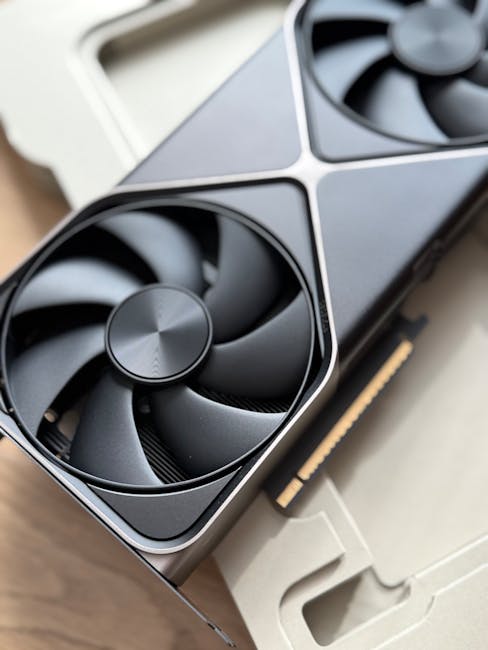
Here’s the tradeoff: GPUs cost more, take more power, and often require bigger cooling. If you’re building a home lab, you also care about noise and power bills.
What GPUs enable for users who like to tinker
If you’ve ever run a local AI desktop workflow, you know the difference. With a GPU, you can:
- Run bigger on-device language models with longer context.
- Generate images with tools like Stable Diffusion workflows (often via ComfyUI).
- Use faster upscalers for photos and videos.
- Run multiple experiments without waiting on the cloud.
My personal “minimum viable” setup for smooth local generation has usually included enough VRAM to avoid constant swapping. In plain terms: if your GPU doesn’t have enough memory, performance gets choppy no matter how fast the math is.
GPU reality check: you don’t always need the biggest card
It’s tempting to buy the top GPU because you see big benchmarks online. But if you only want chat and occasional image edits, you’ll spend money where it doesn’t help. A smarter approach is matching your workload to your hardware and using quantized models when possible.
If you want help choosing a machine, I’ve shared hardware buying thoughts in best mini PCs for AI and privacy—it’s more about practical fit than raw specs.
What this means for users: pick the right device for the right AI tasks
Hardware choice isn’t about owning “the best AI.” It’s about choosing the right AI behavior. In 2026, the user win is knowing what runs fast locally and what still needs a server.
Here’s how I’d sort purchases and expectations.
If you care most about privacy and offline work
Prioritize devices that clearly support on-device AI features. Look for:
- Offline captions and dictation options
- Camera tools that keep working without internet
- Privacy controls that show what data is shared
Even then, read the fine print. Some apps send telemetry or safety signals. You can reduce risk by restricting permissions and using network monitoring when you set up new tools. I cover the “don’t get tricked” mindset in AI privacy and cybersecurity for users.
If you care most about quality and power
Lean toward GPU-enabled setups. That can be a desktop with a dedicated card or a workstation with strong graphics. You’ll get:
- Better performance for image/video generation
- More stable local workflows
- Less dependence on the cloud for heavy tasks
Just plan for heat and power use. If your device gets too warm, throttling will ruin your experience faster than a slow internet connection ever would.
If you want “AI that just works” across tasks
Choose hybrid systems. In 2026, many laptops handle small inference on the NPU and larger steps on the GPU. The best user experience comes from that handoff being smooth.
But here’s my original take: you should judge hybrid systems less by marketing and more by consistency. If an app feels great today and frustrating tomorrow, the system is probably switching hardware or model sizes behind the scenes.
People Also Ask: GPU vs. NPU and on-device AI (2026)
Is an NPU better than a GPU for AI?
No. An NPU is better for the kind of AI tasks that need speed and low power on a device. A GPU is better for larger models, heavy workloads, and fast training. In real life, the “better” one depends on your goal: offline features and battery life (NPU) versus max performance for big models (GPU).
Will on-device AI replace cloud AI?
Not fully. On-device AI will grow because it’s faster and often more private. But cloud AI still wins for huge models, bigger context windows, and tasks that need lots of compute. The future is split: small jobs locally, heavy jobs in the cloud.
Do NPUs run large language models?
Some do, but usually not the biggest ones you see in demos. Many NPUs run smaller language models, or they run parts of a pipeline. If you see strong local chat, it often means the model is compact or heavily optimized for the device.
How can I check whether my AI app is using my NPU or GPU?
For most normal users, you can’t easily confirm inside every app. But you can look at behavior: offline speed, battery drain, and device heat. If you want deeper proof, developer tools and system logs can show which accelerator is used, but that’s mainly for power users.
Security and reliability in 2026: AI hardware affects threat models too

Hardware isn’t just about performance. It also changes what attackers can do and how apps behave under stress. In 2026, AI apps run more locally, which can reduce data sent over the internet. That’s good, but it also means more code runs on your device.
One common issue I see is overly broad permissions. If an AI keyboard app can read your clipboard and you use it to “rewrite” sensitive text, you need to trust the app’s security posture. This is why I recommend treating AI tools like any other sensitive app, not like a toy.
Practical steps you can take right now
- Review permissions: camera, microphone, contacts, and storage access.
- Use network monitoring for AI features that claim to be “offline.”
- Update device firmware: security fixes often include accelerator drivers.
- Be careful with prompt injection: don’t feed secrets into apps that scan links or files from strangers.
If you want a more hands-on walkthrough, you can cross-check your setup with our broader advice in the Cybersecurity category.
Bottom line: how to choose AI hardware in 2026 without getting fooled
Here’s the takeaway I want you to walk away with: AI hardware in 2026 is less about chasing one chip type and more about matching the accelerator to your daily tasks. NPUs make on-device AI practical and battery-friendly. GPUs make high-quality generation and big models realistic.
My actionable plan is simple. If you mostly want offline captions, voice typing, and quick camera AI, buy for strong NPU support and good privacy controls. If you want local image/video generation or serious local model use, budget for a GPU-capable machine and accept the power/heat tradeoff.
Finally, don’t trust marketing alone. Test one real workflow—offline and online—and watch speed, battery, and quality. In 2026, that quick reality check tells you more than any spec sheet.
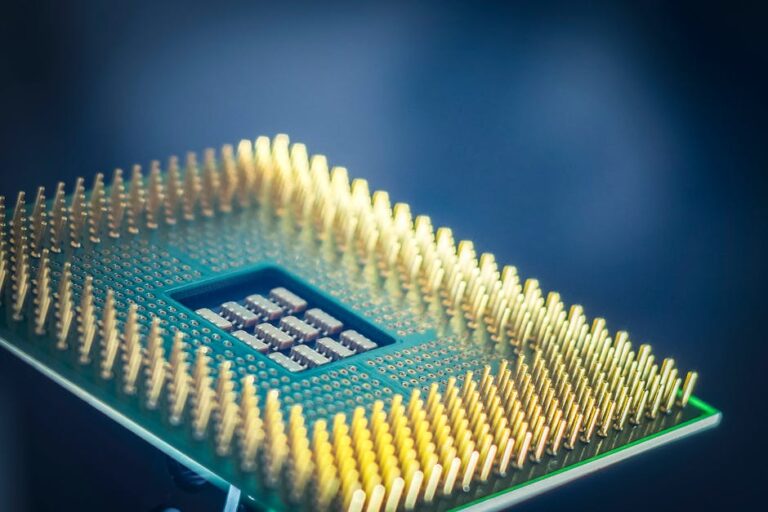
Featured image alt text (for your CMS): GPU vs. NPU in AI hardware in 2026 showing on-device model execution and cloud inference comparison.
About the Author