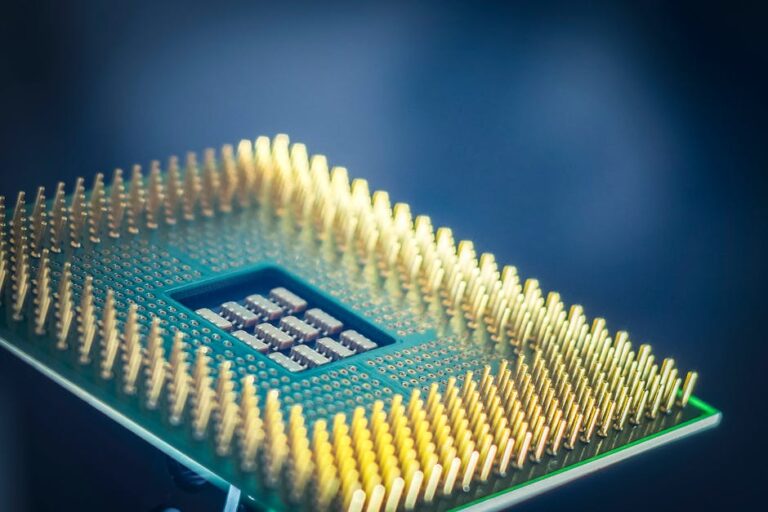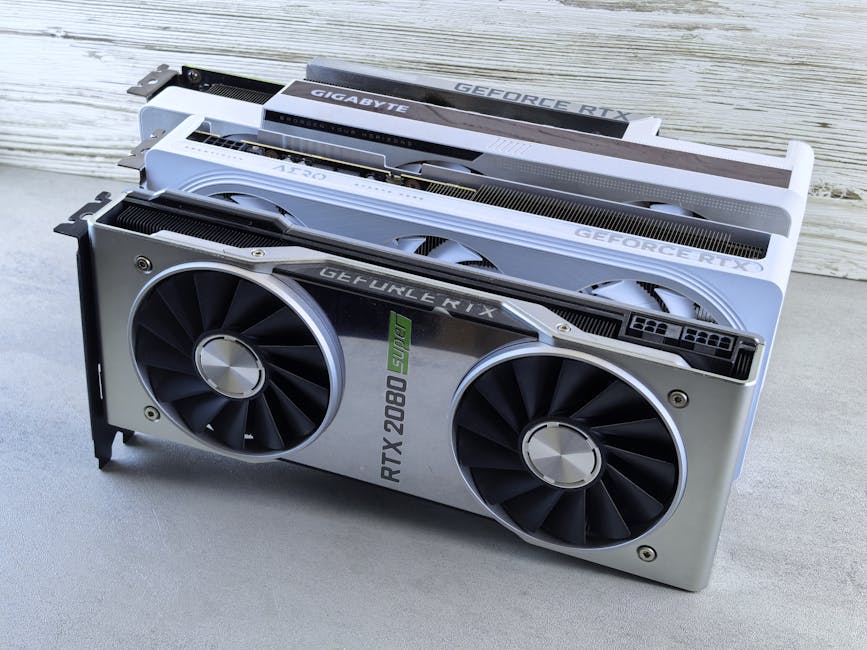
GPU launches and AI hardware updates look random, but they’re usually driven by just a few big forces: faster AI training, cheaper inference, better memory, and the race to feed data to the chip. In 2026, the “latest GPU” headlines often hide the practical story: what changed in the memory system, what new AI features you actually get, and which workloads benefit first.
In this guide, I break down what’s behind the newest graphics cards and the AI accelerators pushing into data centers. I’ll also show you how to judge the announcements with a real checklist, plus what most people get wrong when they read the spec sheet.
Quick answer: What’s behind the latest GPU launches?
The main drivers are AI performance per watt, memory bandwidth, and new ways the chip handles matrix math for AI. Hardware teams also respond to real bottlenecks: moving data (not computing) and keeping power cool enough for stable speeds.
When a GPU brand says “AI-ready,” it usually means one of three things: faster tensor cores (the math blocks for AI), more efficient memory (so the GPU isn’t starved), or better software support (drivers and libraries that make models run faster).
The biggest reason: AI workloads changed the GPU roadmap
Graphics cards used to be judged mostly by games. Now, a large part of the GPU roadmap is shaped by AI training and AI inference (running a model to produce results).
Training is like practicing with huge flashcards. Inference is like answering questions fast after you’ve learned. The difference matters because each has different pain points.
Training vs. inference: why “faster” isn’t one single metric
Training wants speed and stability over long runs. Inference wants speed per request and consistent latency, not just peak throughput.
That’s why many new GPU announcements focus on things that help in both areas, like improved scheduling, better memory compression, and faster data paths between the GPU and the rest of the system.
Personal note: I’ve seen plenty of “benchmarks look great” GPUs struggle in real apps because the bottleneck wasn’t compute. It was the pipeline feeding data—storage speed, CPU limits, or even how the app batches requests.
Memory is the quiet hero in AI hardware updates
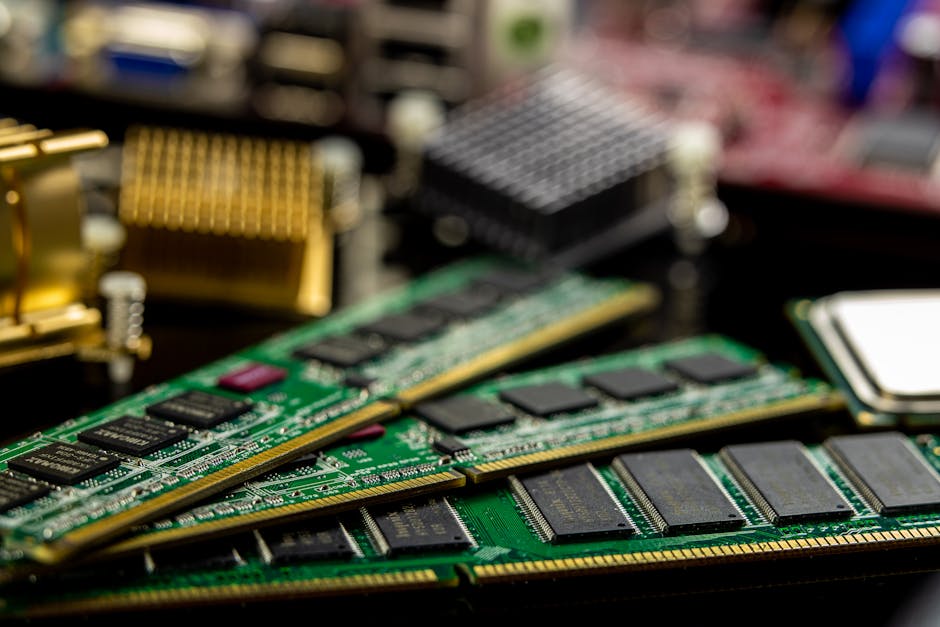
If you remember one thing from this explainer, remember this: AI gets stuck more often on memory than people think. Compute units can be idle while the GPU waits for data.
So the best GPU updates often come from memory changes, not just more shader cores or bigger numbers in marketing slides.
What to look for: bandwidth, capacity, and memory type
When I skim a launch, I check three memory facts before I care about raw performance:
- Memory bandwidth: how quickly data moves.
- Memory capacity: how much can fit at once (important for big models and batch sizes).
- Memory type and features: compression, error correction, and how the GPU handles large allocations.
In practical terms, if a new card has a small jump in bandwidth but a big jump in capacity, you might see big wins in tasks like larger context windows or bigger batch sizes for inference.
People also ask: Why do some GPUs with “less VRAM” still perform well?
Because not every workload is VRAM hungry. Some models fit easily, and software tricks like kernel fusion (merging steps so fewer memory moves happen) can reduce how much data the GPU must store at once.
Also, new GPU driver stacks often improve how efficiently VRAM is used. That’s why two cards with different memory sizes can swap positions depending on the model and batch settings.
New AI features: what the marketing terms usually mean
AI hardware updates often sound like a tech puzzle. Under the hood, most “AI features” boil down to better math engines and better ways to run common AI layers efficiently.
For example, modern GPUs include specialized blocks for matrix operations (the core math behind many neural networks). These blocks are usually what brands mean when they talk about “AI accelerators” inside the chip.
Tensor cores and mixed precision: the practical explanation
Tensor cores are hardware units made to speed up matrix math. Most AI frameworks also use mixed precision which means they run some parts of the math in lower precision to get speed, then keep quality using smart scaling.
Here’s the real-world part: if you’re using tools like PyTorch or TensorFlow, the speed gains depend on whether your version and model code take advantage of those fast paths. A GPU upgrade won’t magically speed up an app that forces slow math in software.
DLSS, frame generation, and “AI in games” aren’t the same as AI training
People often lump everything AI into one bucket. But DLSS-style upscaling and frame generation help games look smoother by predicting pixels, not by training big models. These features can be great, but they don’t tell you much about raw AI training speed.
When you’re comparing GPU launches, split your evaluation into two tracks: gaming performance and AI workload performance (training/inference). Mixing them leads to bad buying decisions.
Software matters more than you think: drivers, kernels, and toolchains

In 2026, the biggest performance swings I see between GPU launches aren’t always in the chip itself. They’re often in the driver updates and the software libraries that schedule work on the GPU.
Think of the GPU as a factory. The hardware is the machines, but the software is the people planning the work. If the people are better, the same factory can do more.
What changes when a new GPU launches?
When a launch hits, you usually see:
- Driver updates that improve scheduling and memory handling.
- Framework updates (PyTorch, TensorFlow, ONNX Runtime) that add optimized kernels.
- Inference runtimes like TensorRT, vLLM, or similar stacks that use quantization and batching better.
Timing matters too. I’ve watched performance jump 10–25% after a few weeks of driver and framework updates. So early reviews can be a little pessimistic, and later updates can shift the final story.
What most people get wrong: buying for “benchmarks” that don’t match their app
Most benchmark charts use a specific model size, a specific batch size, and a specific precision mode. Your workload might be different in ways that flip the winner.
If your goal is local AI (like running a chat model in a home setup), you care about VRAM limits, quantization support, and stable inference. If your goal is training, you care more about throughput and how quickly it scales across multiple GPUs.
GPU launch patterns in 2026: consumer cards vs data center accelerators
It’s easy to confuse consumer gaming GPUs with data center AI accelerators. They share DNA, but the priorities differ.
In a data center, power and cooling are engineered for long runs. In a gaming PC, you might be limited by your case airflow and your power supply.
Consumer GPUs: what they’re really optimized for
Consumer GPUs are often optimized for:
- Fast rendering in games.
- Good performance for local AI using common community tools.
- Features like high refresh output, video encoding, and broad driver support.
If you’re building a workstation, you also care about the PCIe lanes, physical spacing between slots, and whether your power supply can handle transient spikes.
Data center accelerators: why the whole platform matters
Data center “latest” usually means better interconnect and better scaling across racks. You can’t fully judge these by looking only at one GPU spec.
In real deployments, the network, storage, and how jobs are scheduled matter as much as the accelerator itself.
That’s why you’ll see new systems with bigger memory pools and faster links between devices. The goal is to keep accelerators fed with work.
Featured snippet: How to evaluate the next GPU launch in 10 minutes
If you want a simple way to cut through hype, use this quick checklist the next time you see a “new GPU is here” headline.
- Match your workload: gaming, local inference, or training.
- Check VRAM and memory bandwidth: not just the headline model.
- Look for precision support: FP16/BF16/INT8 depending on the app.
- Verify software support: your framework version and inference runtime.
- Find real latency tests: not only peak throughput.
- Budget power and cooling: plan for sustained load, not bench mode.
- Read the footnotes: many graphs hide batch size and settings.
This approach saves you money because it forces you to compare like-for-like.
Comparison: what improvements usually matter most (and what doesn’t)
Here’s a practical comparison based on what I’ve seen in day-to-day testing and in support tickets I’ve helped review for friends and clients.
| Launch claim | What it often means | When it helps a lot | When it matters less |
|---|---|---|---|
| More “AI TOPS” | More compute for certain matrix math | Training/inference that uses those exact paths | Apps stuck in CPU bottlenecks |
| Higher VRAM or bandwidth | Fewer stalls waiting for data | Large models, bigger batches, longer contexts | Small models that already fit easily |
| “New ray tracing” | Better rendering features | Game benchmarks with RT enabled | AI workloads that don’t touch RT |
| Better video encode/decode | Hardware codecs improved | Streaming, editing, surveillance feeds | Model training |
| Better power efficiency | Less power per unit of work | Quiet builds and tight cooling cases | Servers with fixed power budgets |
People also ask: Are AI GPU updates only for data centers?
No. Many AI hardware updates land first in data centers, but the ideas spread to consumer cards through the chip design and through software tools.
In 2026, local AI on consumer GPUs is very common. The big difference is that home users hit limits faster: VRAM size, sustained cooling, and sometimes power draw.
If you’re building a local AI box, the “best” GPU is usually the one that fits your model size with headroom—then stays stable for hours.
Buying advice: pick a GPU upgrade that actually makes sense
Let’s make this practical. Before you spend, ask: what problem are you fixing?
If your issue is slow chat responses, you likely need better inference efficiency. If your issue is failed runs or model loading errors, you likely need more VRAM. If your issue is training speed, you need throughput and multi-GPU scaling.
Local AI example: upgrading for a 7B or 13B class model
Say you run a 7B model quantized to 4-bit or 8-bit. It might already fit on a mid-range GPU, so a flashy new launch may not change your day much.
But if you want larger models, longer context, or higher quality quantization, VRAM becomes the key. In that case, a jump in memory capacity and bandwidth can cut load time and reduce out-of-memory crashes.
One step I always recommend: test your exact model with the exact runtime settings (like quantization level and context length) before you buy. Benchmarks you find online often use different defaults.
Gaming + AI hybrid builds: don’t sabotage your cooling
If you game and run AI side by side, sustained heat is a real limiter. Your GPU can hit a power limit, then performance drops during long sessions.
Fix it by checking case airflow, fan curves, and making sure your power supply unit (PSU) has enough clean headroom for GPU spikes. I’ve watched people buy a “high-end” GPU and then wonder why it underperforms because they left their old PSU in place.
Security note: AI hardware attracts the same threats as other tech
GPU and AI hardware updates don’t only change speed—they change attack surfaces too. New driver versions, new tools, and new deployment setups can bring security issues if you don’t stay current.
If you’re running AI models on a machine that also connects to the internet, basic safety steps matter. For a broader view, check out our related post on AI safety and cybersecurity basics for local model setups.
Also, if you’re using remote inference servers, read our guide on hardening Docker and Kubernetes for secure inference. It covers common mistakes like exposed ports and weak defaults.
What to do right now: a simple action plan for 2026
If you’re trying to decide whether the “latest GPU launch” is worth it, here’s a clear plan that works in real life.
- Write down your top 2 workloads. Example: “local chat” and “video editing.”
- Find one benchmark that matches your workload. If you can’t find it, use your own test.
- Update software first. Install the newest stable drivers and update your inference runtime.
- Measure power and temps. Use monitoring tools during a 30-minute run, not a 2-minute benchmark.
- Only then compare GPUs. If you upgrade software and your current GPU already meets your needs, don’t spend.
My honest take: most people upgrade because they want the new card, not because it solves a specific bottleneck. If you treat the bottleneck like a detective puzzle, you end up with a better choice.
People also ask: Do new GPU launches make older cards “worthless”?
No. Older GPUs often stay useful, especially for inference and creative work. The “worthless” feeling comes from hype cycles and from software updates that sometimes drop support for older generations faster than users expect.
In 2026, what matters is whether your key tools still run well on your current card. If you’re using a stable inference runtime and updated libraries, you can squeeze a lot of value out of hardware you already own.
The best move is to check compatibility with your exact stack: the framework version, CUDA or equivalent runtime (depends on platform), and the libraries you rely on.
People also ask: How soon should you buy after a new GPU release?
For most people, I recommend waiting 2–6 weeks. Early drivers and early software support are improving fast, but the first days can have weird bugs or unstable performance in specific apps.
If you need the GPU immediately for work, buy it—but plan for driver updates right after purchase. If you can wait, patience usually pays off with better benchmarks and fewer headaches.
Related reading (from our site categories)
If you’re also tracking cybersecurity and how it connects to everyday tech, you’ll like our guide to keeping drivers and software updated safely. New GPU drivers matter, but they should be installed from trusted sources.
For hands-on tech help, our How-To: run local LLMs with practical security tips pairs well with this explainer. It includes example setup checks and safer defaults for a home server.
Conclusion: The best reason to care about GPU “launch news”
The latest GPU launches and AI hardware updates are really about fixing bottlenecks: getting data to the chip faster, feeding it cleanly for long runs, and running AI math more efficiently. When you read tech news, don’t just chase the biggest number—chase the specific improvements that match your workload.
Your takeaway: before you upgrade, check memory (bandwidth + VRAM), verify software support for your exact framework, and test with your own model or your own app settings. That’s how you turn “tech news hype” into a purchase that actually shows up in your results.
Image SEO note (for your CMS): Use a featured image with alt text like: “Latest GPU launch explaining AI hardware updates and memory bandwidth” (keep it under 125 characters).
About the Author