Quick answer: the “works together” smart home comes from one control layer
In 2026, the easiest way to get smart home gadgets that actually work together is to pick one main “control layer” (usually a hub, app, or voice ecosystem) and buy most devices inside that same world. The second-best path is using a standard like Matter and sticking to brands that update their firmware.
I’ve set up homes where everything looked compatible on paper, then broke the first time the Wi‑Fi changed or the app got a new version. Most of those problems weren’t “bad luck.” They were device-to-device handoffs that weren’t reliable.
What “smart home gadgets that actually work together” really means
This phrase sounds simple, but it has a few hidden layers. When gadgets work together, they share basic communication rules and they follow the same logic for triggers like motion, door opens, and “away mode.”
Key idea: Smart home automation isn’t just “can they connect?” It’s “do they keep connecting after updates, and do they agree on what an event means?”
Two types of compatibility you should check
- Cloud vs. local control: Cloud means your automation often depends on the internet. Local control means devices can still act even if the internet is down.
- Device-to-device vs. hub-to-device: Some automations work only because a hub “translates” events. Others rely on direct cross-device links that often change over time.
What most people get wrong
People usually shop by features first (like “it has a camera” or “it works with Alexa”). Then they buy a second ecosystem without realizing the automations they care about live in the first one. The result is a home that’s full of apps, but the rules don’t fire consistently.
Top smart home gadgets that actually work together in 2026 (by job)
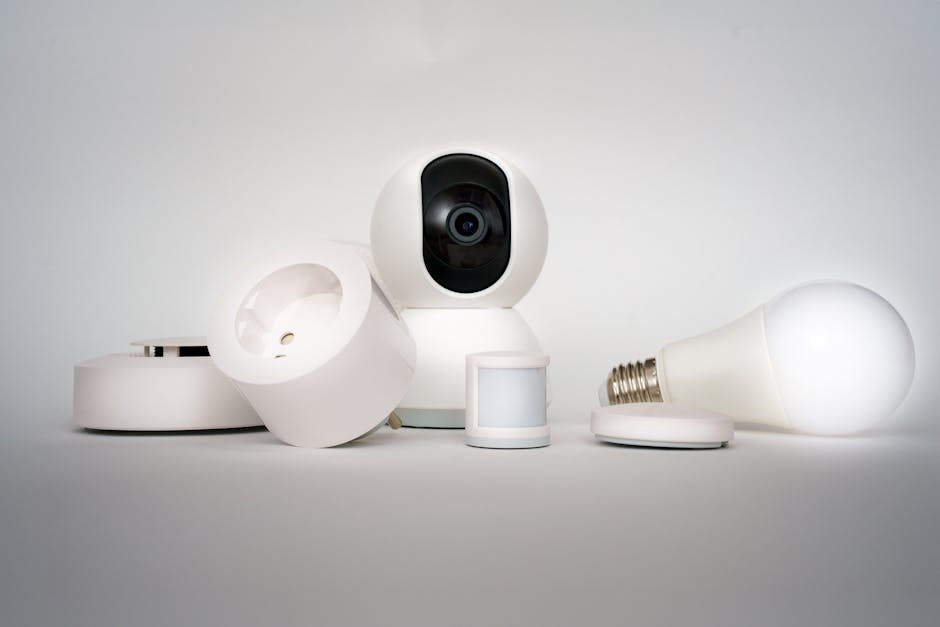
Below are gadget “types” that fit together well when you build around one control layer. I’m not naming a single brand as the only answer, because no one brand is perfect for every budget. But the patterns below do work.
1) A smart hub or controller (the glue)
A smart hub is the part that turns “a sensor happened” into “do this.” In homes I set up, the difference between a smooth system and a frustrating one usually comes down to the controller choice.
Look for: Matter support, good local automations, and device management that stays stable after firmware updates.
- Best fit for many people: Apple Home, Google Home, Amazon Alexa, or a dedicated home automation hub.
- Best fit for power users: A local-first system that supports Matter and common device types (lights, switches, sensors) without needing the cloud for every action.
If you want to go deeper on the risks that come with hubs and connected cameras, you’ll like our cybersecurity article on home smart device risks and how to reduce them.
2) Matter-compatible smart lights and switches
Lighting is where people notice success fast. When lights work together with door sensors, motion sensors, and routines, your home feels “smart” instead of just “loud with apps.”
My take: Matter lights and switches are a strong base because they have a common language. Still, I always confirm they’re available in your chosen controller’s app (and not only in a single brand app).
- Great combos: Motion sensor turns on hallway lights; door sensor triggers “lights on at 7% brightness” at night.
- Common mistake: Buying smart bulbs that support Matter but only pairing them through a cloud bridge that you later stop using.
3) Smart plugs for “quick wins” (and troubleshooting)
Smart plugs are simple, and they make great test devices. If you’re building from scratch, you can confirm your rules work before you spend big on cameras and locks.
How I use them: I add a smart plug to run a lamp on a schedule. Then I connect a sensor to turn that same lamp on when motion happens.
Buy criteria: Choose plugs that support your hub and allow power schedules without needing constant app sessions.
4) Smart motion sensors and contact sensors
Sensors are the “nerves” of the system. A smart home that reacts to doors and motion feels alive, but only if your system can trigger reliably.
What to prioritize: battery life, stable pairing, and the ability to create automations in your controller.
- Real-world example: Front door contact opens → porch lights switch on for 90 seconds → thermostat drops to comfort temperature only when the door opens between 4pm–10pm.
- Real-world example: Motion in hallway → bathroom exhaust fan starts (if you have a compatible switch controller).
5) Smart thermostat with “presence” logic
A thermostat is one of the best money-saving devices, but only when it gets the “when are we home?” signals right. Many homes waste energy because the thermostat never gets a clear away/home event.
Do this: Tie “Away” and “Home” to either door contact, motion sensors, or a geofence routine in your main controller.
Pro detail: Set delays. If motion triggers “home” instantly, the thermostat can bounce between modes every time someone moves in a bedroom. I use a 10–20 minute “grace time” for people who work irregular schedules.
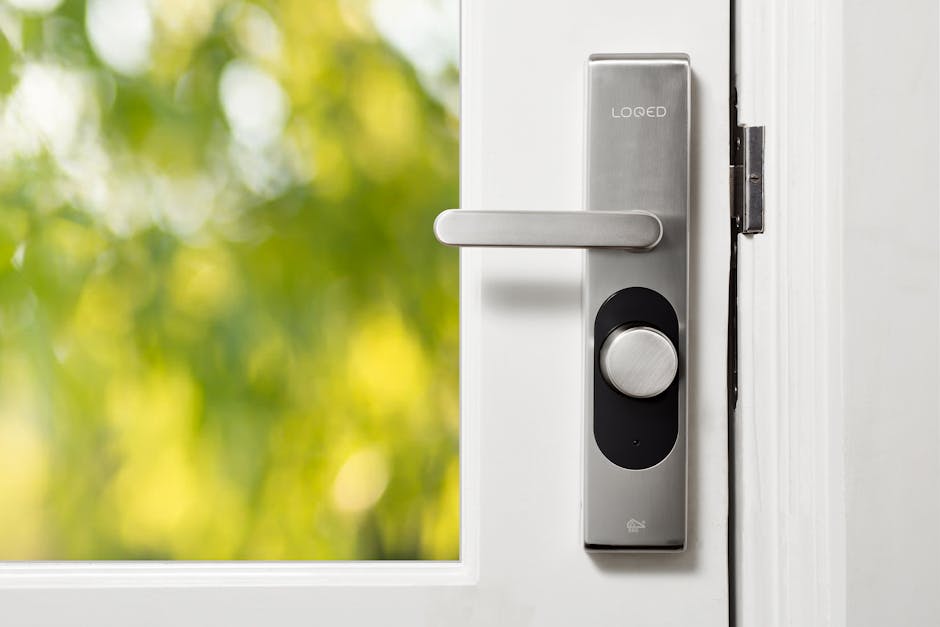
6) Smart locks (only after you check reliability)
Smart locks are high value and high risk for frustration. If your lock depends on a flaky cloud service, the door becomes a pain instead of a feature.
My rule: Before buying, confirm how your controller handles lock automations and what happens during internet outages. Local unlock should still work when possible.
Also, set up temporary access the right way. For guest doors, I prefer one-time or time-limited codes instead of letting people keep forever access.
7) Video doorbells and cameras (the “works together” approach)
Cameras are useful when they trigger actions and when you can review events without jumping between apps. The best setups connect camera events to your routines.
What “good together” looks like: Doorbell detects a person → porch lights turn on → notify your phone → save to your local or trusted cloud storage plan.
If you’re building out a camera system, our guide on securing smart cameras covers password habits, firmware checks, and why open ports are still a bad idea in 2026.
The gadgets to skip (or at least be very careful with)
Not every smart gadget is built to play nicely. Some work, but others cause constant app switching, broken automations, or security headaches.
Skip #1: Wi‑Fi cameras that force you into one vendor app
Some cameras “support” smart home ecosystems but only for basic voice commands. The real automation options are tied to their own app. You end up with two rule engines and double the notifications.
Instead, buy cameras that clearly support Matter/RTSP where relevant, and that integrate into your main controller for event triggers.
Skip #2: Smart devices that rely only on the cloud for basic actions
If your lights turn off only after the cloud responds, your home becomes internet-dependent. That’s annoying during outages, but it’s also a reliability risk.
- Look for local control support.
- Check whether routines can run without internet.
- Test after a router restart (yes, actually do it).
Skip #3: “Thread-only” devices if your home has no Thread border router
Thread is a low-power mesh network. It’s great when the home is built for it. But if you buy Thread devices without a Thread border router (often a compatible hub, router, or range extender), pairing becomes a time sink.
My experience: I once watched a friend spend two hours trying to pair a sensor, then fixed it in 5 minutes after adding the correct border router. That saved a lot of frustration.
Skip #4: Generic brand off-brand sensors with unclear update support
This one hurts, because the prices are tempting. But if the brand doesn’t publish firmware updates or doesn’t clearly state how long they support devices, your sensors can “work” today and become unreliable later.
Even at the budget level, I’d rather buy one sensor from a brand with a real support page and consistent updates than five no-name devices.
Build a smart home that works together: a simple step-by-step plan
If you want fewer problems, treat your smart home like a system, not a shopping list. Here’s the approach I use with friends and clients.
Step 1: Pick your control layer first
Choose one main place to manage automations and notifications. It can be your phone app, a smart hub, or a home controller.
Rule of thumb: If you can’t clearly build routines there, skip the ecosystem.
Step 2: Start with one “starter set” that includes sensors
Use motion/contact sensors plus at least one light or plug. You’re testing trigger reliability, not just device pairing.
- Pair the sensor.
- Create a rule: motion → turn on a lamp.
- Create a second rule: door opens after 10pm → porch light on for 90 seconds.
Step 3: Add your most important automation last
Don’t start with the complicated “camera + lock + thermostat + lights” routine. Start small and prove each piece works.
Then you can build a “front door arrives home” scene that ties together: door contact, camera event, porch lighting, thermostat mode, and notifications.
Step 4: Test after changes (router, firmware, phone updates)
This is where most smart homes fail. I do quick tests every time:
- My router reboots
- A device firmware updates
- I change phones or update the controller app
If your rules stop firing, fix that early. It’s easier in week one than month four.
Step 5: Put security basics on autopilot
A connected home is a target. The best time to fix security is before you have 30 devices.
- Use unique passwords for your main account and your home controller.
- Turn on two-factor authentication.
- Update firmware as soon as updates are available.
- Avoid exposing devices to the internet directly.
People also ask: smart home compatibility and best choices
Do Matter devices automatically work together?
Matter devices are designed to share a common setup and control method, but “automatic” depends on your controller. If a device is Matter-capable and your hub supports it, setup is usually smooth.
However, some brands still require you to pair in a specific way or use a specific controller app first. Check the device listing for Matter support and confirm it appears in your controller’s device list after pairing.
What should I buy first for a smart home?
Buy sensors and one reliable light or plug first. Motion sensors and contact sensors help you prove your automation rules. Then you add higher-cost gear like locks, cameras, and thermostat once the core system is stable.
If you want a budget-friendly starter path, this is the order I’d recommend: plug → one switch/bulb → motion sensor → door sensor → thermostat → camera/lock.
Why do my smart home automations stop working?
The most common reasons are app updates, router changes, expired device pairing, or device firmware updates that alter behavior. Another common reason is that the automation depends on a cloud service that’s temporarily slow or offline.
To reduce failures, build automations so they can run locally where possible, and keep the number of “cross-ecosystem” handoffs low.
Are smart home gadgets secure?
Smart gadgets are secure only when you treat them like real computers: update them, use strong logins, and avoid “factory default” passwords. Many vulnerabilities come from old software and reused passwords.
This is exactly why we cover threat basics in a smart home cybersecurity checklist, including what to check after you buy.
Do I need a smart hub, or can I use apps?
You can use apps, but it’s harder to keep everything working together. When you rely on separate apps per brand, you’re building automations in multiple places.
A hub or controller helps you centralize rules, notifications, and scenes. It also makes it easier to troubleshoot when something breaks.
A quick comparison: “works together” setups vs. fragmented setups
| Setup style | Pros | Cons | Best for |
|---|---|---|---|
| One main ecosystem (hub/app) | Fewer apps, easier routines, usually better reliability | May lock you into a company for some devices | Most households |
| Mostly Matter devices + good controller | More choice, more consistent compatibility | Still depends on controller support and updates | People who want flexibility |
| All cloud apps, different brands, different logins | Easy to buy what you like | More failures and more switching when automations break | Very small “single-purpose” setups |
My recommended “starter stacks” (real use cases)
These stacks focus on gadgets that actually work together. The goal is to avoid the common “it’s compatible but doesn’t automate well” situation.
Starter stack A: Family “home/away” routine
- Hub/controller with local routines
- 1 motion sensor (hallway)
- 1 door sensor (front door)
- Smart lights (living room or hallway)
- Thermostat tied to Away/Home
Automation you should build: When front door opens and it’s evening, lights on at 30% for 3 minutes. When no motion for 45 minutes and door is closed, set thermostat to energy-saving mode.
Starter stack B: Apartment “security and notifications”
- Hub/controller
- Contact sensor (main entry)
- Camera doorbell or camera (front)
- Smart plug for a lamp
Automation you should build: If the door opens after midnight and motion is detected near the entry, turn on the lamp and send a notification with camera event.
Starter stack C: Home office “comfort + energy control”
- Thermostat with scheduling
- Motion sensor (office)
- Smart switch or lights (office)
- Optional: smart plug for monitor/desk fan
Automation you should build: When motion starts in the office, set lights to a comfortable level and switch power outlets on after the first 10 minutes. If no motion for 30 minutes, do the reverse.
Final takeaway: choose fewer ecosystems, then test like it’s 2026
The top smart home gadgets that actually work together aren’t just “compatible.” They’re reliable across app updates, firmware changes, and real-life internet problems. Pick one control layer, lean into Matter where it helps, and start with sensors plus one light or plug before you buy the expensive gear.
If you do that, you’ll end up with routines that fire the way you expect—no mystery delays, no endless app switching, and fewer “why did this stop working?” nights.
Action step: Today, decide on your controller/hub first. Tomorrow, buy one sensor and one light (or plug), build a simple rule, and test it after a router restart. That one test tells you more than specs do.

About the Author