Last time I flew, I watched a guy land with a phone at 3%. He had “a charger at the hotel,” but he didn’t have one for the airport lounge, the taxi, or the 40 minutes waiting for his bag. That’s when I decided to stop buying random travel electronics and build a tight list of the best budget gadgets for tech travelers: chargers that actually work, small trackers that don’t feel creepy, and privacy tools that help you stay in control when you’re on public Wi‑Fi.
Here’s the direct answer: the best value combo for most tech travelers in 2026 is (1) a 30W–65W USB‑C charger with smart power sharing, (2) a compact wall plug + USB‑C cable set you don’t mind losing, (3) a small Bluetooth tracker or phone tracker setup, and (4) basic privacy habits like turning off Wi‑Fi sharing and using a VPN on public networks. If you do those things, your battery life and your safety both get better fast.
Quick checklist: best budget gadgets for tech travelers (the “pack it once” list)
If you want the shortest path to a better trip, use this packing list. It focuses on cheap gear that solves real travel problems, not gadgets you’ll forget in a drawer.
- One smart charger (30W–65W) for your phone and laptop/tablet.
- One travel cable set: USB‑C to USB‑C (and one USB‑C to Lightning if you’re on iPhone).
- A compact multi‑port wall plug or power strip for a shared outlet.
- A tracker: Bluetooth tracker for bag/keys, plus optional phone location backup.
- Privacy basics: VPN app, browser privacy setting, and a “don’t auto‑connect” habit.
What most people get wrong is buying five small chargers instead of one good one. It feels easier in the store, but on travel day it turns into charging chaos.
Must‑have chargers: what to buy (and what to skip) when you want cheap gear that lasts
A solid charger is the one travel gadget you touch every day, so it’s worth choosing well. In my experience, the “budget” mistakes usually come from weak power ratings, bad cables, or chargers that can’t share power correctly.
USB‑C Power Delivery (PD) is the standard that lets a charger safely send the right wattage to your device. If your phone or laptop supports PD, you get faster charging and fewer overheating problems.
Best budget charger wattage by device (use this rule of thumb)
Pick wattage based on your biggest device, not your phone. Here’s a simple guide that works for most travelers’ setups:
- 30W: great for phones and many tablets. Often enough for a light laptop if it’s USB‑C charging and the charger is good quality.
- 45W: a sweet spot. Works well for many ultrabooks and keeps phone charging fast too.
- 65W: for higher power laptops or if you want faster top‑ups before meetings.
I like 45W for most people because it covers a lot without being huge or expensive. If you travel with a chunky gaming laptop, that’s a different story and you may need the original charger.
Which charger features matter most (smart, not flashy)
These are the charger features I check every time:
- USB‑C PD ports (at least one, ideally two if you share outlets).
- Smart power sharing: when you plug in two devices, the charger should still deliver good power to each one.
- Fast charging support: look for “PD PPS” for some phones that need it (PPS is a PD sub‑mode that helps with very fast charging).
- Foldable plug: helps when you pack in tight spaces.
- Quality cable included or at least good cable options: cheap charger + cheap cable is where problems start.
Skip chargers that “look powerful” but list unclear wattage, or chargers that only advertise total watts without showing USB‑C PD support. Those are often slow in practice.
My favorite budget cable setup (and the tiny trick that saves you)
For cheap tech traveling, the cable set matters more than you think. I use two USB‑C cables max and one short one for the car or hotel desk.
- One 1–1.5 meter USB‑C cable: for bed, desk, and charging where outlets are far.
- One short USB‑C cable (~20–30 cm): for packing cubes, in‑flight, and quick top‑ups.
- If you use iPhone: one USB‑C to Lightning cable (or a good MFi cable if you want reliability).
Tiny trick: mark one end with a small colored dot (not permanent paint). When you’re tired, you stop mixing up “which end goes to what,” and you don’t end up hunting for the right cable mid‑trip.
Trackers that won’t break the bank: Bluetooth basics, real use cases, and privacy tradeoffs
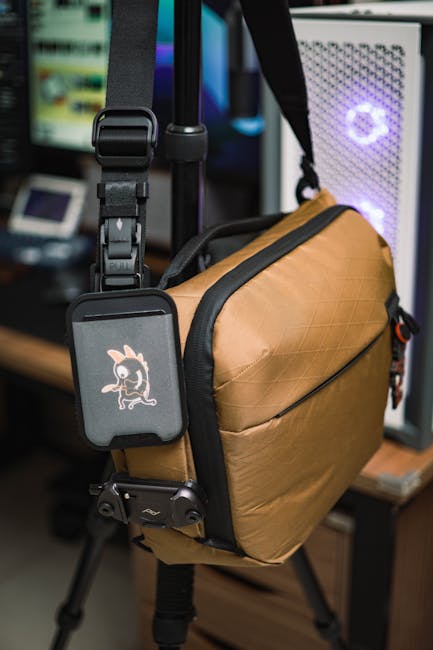
A tracker is a small thing you buy once, but it saves hours later. I’m talking about Bluetooth trackers for bags/keys, not big “spy” devices.
Bluetooth trackers work by sending a signal that nearby compatible phones pick up. Then the location is shared through an encrypted network (the exact wording depends on the brand). The main win is peace of mind when you’re rushing through airports.
How to choose a tracker for tech travelers (budget edition)
When I compare budget options, I look for three things:
- Replaceable battery or easy battery life: if the battery dies, the tracker becomes a paperweight.
- “Last seen” accuracy: you want an estimate that’s useful for retracing your steps.
- Anti‑lost alerts: the best trackers warn you before it’s too late.
If you travel to places with lots of phones (major cities, airports), Bluetooth trackers are reliable enough for most people. If you’re going off‑grid for days, no budget tracker will beat the fact that there’s no signal crowd around.
Real‑world scenario: using a tracker for a travel bag and camera gear
One trip, I left my carry‑on at a shared coworking table for about 8 minutes. It wasn’t “gone forever,” but it was moved. A tracker helped me see where it ended up, and I got it back without panicking.
Here’s what worked: I put the tracker inside the bag pocket near the center, not right at the outer seam. That positioning tends to reduce weak signal drops when the bag is packed tight. If you wear camera gear often, consider a tracker on the backpack strap so you feel it against your body and don’t forget it.
People also ask: Do trackers work when your phone is dead?
Sometimes. Most Bluetooth trackers keep broadcasting even if your phone is dead, but the “network” part needs other nearby phones to detect it. So if someone else’s phone is close, the tracker can still be found later through “last seen” location.
For the best results, charge your phone normally and rely on the tracker as a backup for “I forgot where I put it.” It’s not a replacement for watching your bag.
Privacy tips that actually matter on travel Wi‑Fi (without going full paranoid)
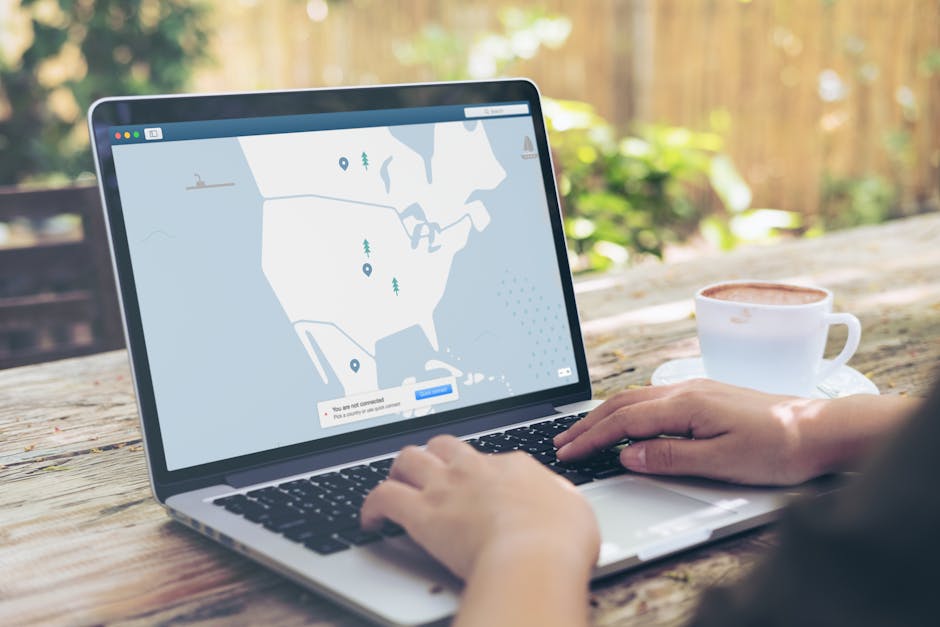
Privacy on the road isn’t about fear. It’s about keeping control over what you share and making it harder for scammers to steal your login.
Public Wi‑Fi is the classic risk because attackers can set up look‑alike networks. Even if you’re not a target, you still want basic protection.
Use a VPN on public networks (and turn it off at home)
A VPN is a tool that creates a protected “tunnel” between your device and the internet. On airport and hotel Wi‑Fi, it helps hide your browsing from local snoops and reduces certain types of login sniffing.
My rule: VPN on in airports, trains, hotels, and cafes. VPN off when you’re on your home network because you don’t need the extra layer then.
If you want a simple workflow, set your phone to automatically connect to the VPN when you join any network that isn’t your home or trusted hotspot.
Turn off the stuff that auto shares your life
These are quick settings I check before logging into anything important:
- Wi‑Fi automatic connection: turn it off for “unknown” networks.
- Bluetooth scanning/visibility: avoid “discoverable” mode in busy places.
- Location permissions: set apps to “While using” for travel‑not‑needed permissions.
- File sharing (on laptops): disable sharing when you’re on hotel Wi‑Fi.
What most people miss: laptops sometimes keep network sharing enabled even after you shut off the setting in one place. If you’re unsure, do a quick check in your OS network sharing panel.
People also ask: Can a “fake Wi‑Fi” steal my passwords?
It can, especially if you join a malicious network and your device isn’t using secure connections. The risk goes down a lot if you use a VPN and if the websites you use are on HTTPS (most major sites are).
Still, don’t type your password into a site you landed on from weird popups. If a login page looks off, exit and go to the correct site directly by typing the address.
Budget privacy hardware: small add‑ons that help more than you’d think
You don’t need fancy anti‑spy gear. You just need a few practical tools that reduce mistakes and stop common leaks.
Privacy‑friendly “travel setup” I recommend for laptop users
This is how I set up my laptop before signing into email, banking, or work apps while traveling:
- Update the OS (if you haven’t in the last week). Security fixes are real and fast.
- Install the VPN app from a trusted source.
- Use a separate browser profile for travel logins, so cookies don’t mix with your daily browsing.
- Turn off auto file sharing and check network discovery settings.
This takes about 5–10 minutes. But it saves you from “oops, I logged in on the wrong network profile” later.
What about anti‑tracking gadgets like camera covers and RF blockers?
I’m direct here: camera covers are worth it. RF blockers and signal jammers are often illegal in many places, and they can also break your device’s normal connectivity. If you want safety, use legal tools: camera covers, privacy screens for shoulder surfers, and safe software habits.
On many laptops, a simple slide cover is cheap and takes zero setup time.
Comparison table: best budget gadgets for tech travelers by use case
Use this table when you’re deciding what to buy first. It keeps you from overspending on low‑impact gadgets.
| Category | Budget range (typical) | What to look for | Best for |
|---|---|---|---|
| USB‑C charger (30W–65W) | $15–$45 | PD, smart power sharing, quality cables | Phone + tablet, or phone + laptop |
| Travel cable set | $8–$20 | Good thickness, USB‑C to USB‑C (and Lightning if needed) | Daily charging everywhere |
| Bluetooth tracker | $20–$35 | Replaceable battery, strong “last seen” and alerts | Bags, keys, camera cases |
| VPN subscription (monthly or yearly) | $5–$15/mo | Fast servers, good phone apps, easy connect | Hotel/airport Wi‑Fi logins |
| Privacy screen (optional) | $10–$25 | Matches your screen size | Planes, cafes, coworking |
My opinion: if you only buy two things, buy the charger and the VPN. Everything else depends on how often you lose things or work in public places.
Common travel mistakes (and the fixes) I keep seeing
These are the errors that cost people time or create security risk. I’ve done a few myself, which is why I now treat this like a checklist.
Mistake 1: “One charger for everything” that isn’t really powerful enough
A charger rated for 25W can feel fine at first, then your laptop crawls to a stop. If your laptop needs 45W or 65W to charge properly, get the correct one.
Fix: check your laptop charger input specs (look for “Power Delivery” or USB‑C wattage). Match it with a PD charger in that watt range.
Mistake 2: Using one tracker app for every kind of job
Trackers are great for “where is my bag?” but they’re not magic for everything. If you try to use one tracker for personal items, luggage, and also “prove where I was,” you’ll end up disappointed.
Fix: use trackers for physical things you can lose. Use privacy tools and good login habits for online safety.
Mistake 3: Logging into banking on sketchy Wi‑Fi without extra steps
This is where small habits matter. If you’re going to log into a sensitive account on the road, do it through a VPN and double‑check the network name.
Fix: join Wi‑Fi manually, avoid open networks that look fake, and confirm the URL before entering your password.
People also ask: What’s the best budget travel charger for a phone and laptop?
The best budget travel charger for most tech travelers is a USB‑C PD charger in the 45W range with at least one USB‑C port that supports power delivery. If your laptop truly charges slowly on 45W, step up to a 65W PD model.
Before buying, check that your laptop uses USB‑C charging and what wattage it expects. Some business laptops want their own specific adapter, and that’s not worth fighting.
People also ask: Are Bluetooth trackers safe for privacy?
They’re generally safe when used normally, like attaching them to luggage. The bigger privacy question is not “is the tracker spying?” but “who can see location data and when.” Good trackers use encrypted communication and don’t broadcast an open GPS trail 24/7.
Still, you should keep your phone’s app settings in check and disable any features you don’t use. If a tracker app asks for extra permissions, read them.
People also ask: What cybersecurity steps should tech travelers do before a trip?
Do these three steps before you leave:
- Update your OS and apps (security patches only take minutes when you plan ahead).
- Turn on strong account protection like two‑factor authentication for email and banking.
- Set a travel Wi‑Fi routine: VPN on public networks and avoid “auto connect” on unknown Wi‑Fi.
If you want deeper security tips, check out our related guide on cybersecurity best practices and our how‑to setup notes for safer logins. Those posts go beyond the basics and cover the “why” behind each step.
Internal link roundup: pair gadgets with the right security habits
Budget gear works best when your setup is safe, too. If you’re building out a travel tech kit, it helps to connect the dots between devices and security:
- Portable charger reviews for choosing wattage and cable quality without guessing.
- Public Wi‑Fi safety tips to avoid the most common login traps.
- Phone privacy settings for quick wins like turning off auto sharing.
My 2026 “buy first” recommendation (so you don’t waste money)
If you want the smartest budget path, buy in this order:
- USB‑C PD charger (45W) with smart sharing.
- 2‑cable set you trust (one short, one medium).
- One tracker for your bag or keys.
- VPN and a privacy browser profile for travel logins.
- Optional privacy screen if you work in public.
One last thing: write down the charger and tracker model you buy, then keep a simple receipt or purchase email. When something fails on day 3 of a trip, fast support matters.
Conclusion: travel lighter and safer with a tight gadget kit
The best budget gadgets for tech travelers aren’t the fanciest ones. They’re the ones that solve daily problems: charging fast, finding your essentials, and protecting your logins on public Wi‑Fi.
If you remember one takeaway, make it this: choose one good smart charger, pack reliable cables, use a tracker for your physical gear, and run a VPN + privacy routine on public networks. Do that, and your trips feel smoother—and you’ll worry less when things get busy.
Featured image alt text: Best budget gadgets for tech travelers showing USB‑C charger, small Bluetooth tracker, and privacy VPN setup for travel Wi‑Fi.
About the Author